Your customers already live on WhatsApp. They message you there at 7 AM, during lunch and at midnight. A WhatsApp AI chatbot means every one of those messages gets a fast, useful reply, even when your team is busy or asleep.
But “WhatsApp chatbot” means very different things depending on who you ask. Some are simple menu bots that ask you to “press 1”. Others are AI agents that understand questions, share photos and book appointments. This guide explains how WhatsApp AI chatbots work in 2026, what they can do, how to set one up, what it costs, and how to avoid the common mistakes.
Key takeaways
- A WhatsApp AI chatbot uses AI to understand customer messages and reply with answers from your own business data.
- It runs on the official WhatsApp Business Platform (API), not on the regular WhatsApp app.
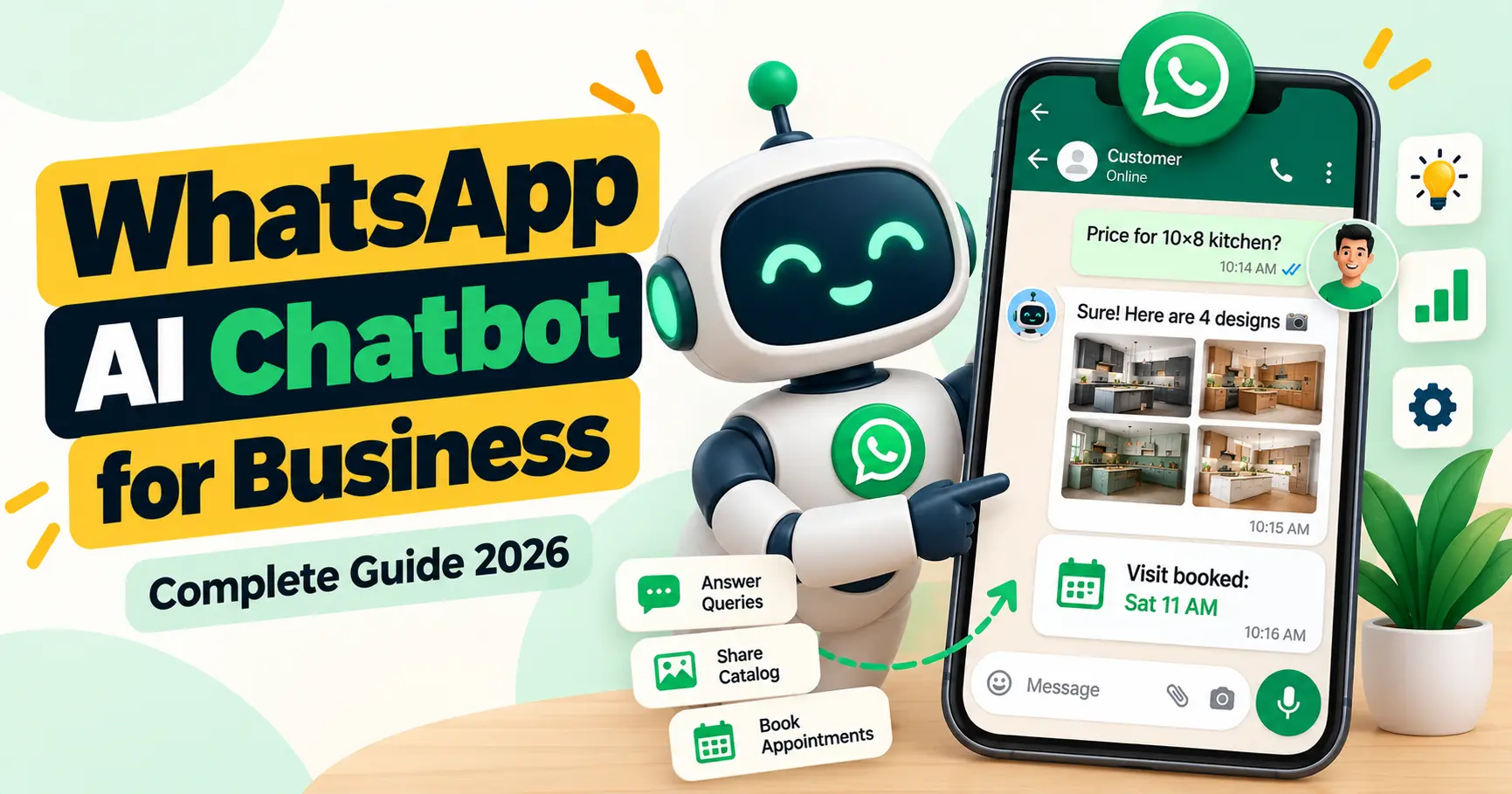
- Good AI chatbots answer questions, share photos and catalogues, qualify leads, book appointments and hand over to a human when needed.
- Costs include setup, the software or platform, AI usage, and Meta’s per-message charges.
- The quality of the bot depends on the quality of the business information you train it on.
What is a WhatsApp AI chatbot?
A WhatsApp AI chatbot is software connected to your WhatsApp Business number that reads incoming messages and replies automatically. Unlike a menu bot, an AI chatbot uses a large language model to understand what the customer means, even when they write in Hinglish, make spelling mistakes or ask two things at once.
The best AI chatbots are connected to your business knowledge: products, prices, photos, FAQs, policies and locations. They answer from that information instead of making things up.
Rule-based bot vs AI chatbot vs AI agent
| Type | How it works | Good at | Weak at |
|---|---|---|---|
| Rule-based (menu) bot | Fixed buttons and keywords: “Reply 1 for prices” | Simple, predictable flows | Anything outside the menu; feels robotic |
| AI chatbot | Understands free text and answers from your knowledge base | Answering varied questions naturally | Taking actions, unless connected to tools |
| AI agent | AI chatbot plus tools: it can look up data, send photos, book slots and update your CRM | Completing tasks end to end | Needs careful setup, testing and limits |
Most businesses today want an AI agent: something that can not only answer “what’s the price?” but also ask for the size, calculate a quote and book a visit.
What can a WhatsApp AI chatbot do for your business?
- Reply instantly to every lead, including leads from Meta ads and your website.
- Answer product and service questions using your own data.
- Share the right photos or catalogue items by category, such as kitchens, doors or bedrooms.
- Ask qualifying questions: budget, size, location and timeline.
- Give price estimates based on your rules, and pass custom requests to your team.
- Book appointments, site visits or demos on your calendar.
- Alert your team on WhatsApp, Telegram or email with the full lead details.
- Hand over to a human when the customer asks or the question is sensitive.
- Reply in the customer’s language, including Hindi, English and Hinglish.
How a WhatsApp AI chatbot works (behind the scenes)
- A customer sends a message to your WhatsApp Business number.
- WhatsApp sends the message to your system through the WhatsApp Business Platform.
- An automation tool (like n8n or a chatbot platform) passes it to the AI model along with the conversation history.
- The AI searches your knowledge base (products, prices, FAQs, photos) for the right information.
- If needed, it uses tools: checks calendar slots, picks photos from a folder or saves the lead to a sheet or CRM.
- It sends the reply back to the customer on WhatsApp.
- If a human is needed, it alerts your team and pauses.
What do you need to set up a WhatsApp AI chatbot?
- A Meta Business account (Business Manager), ideally verified.
- A WhatsApp Business Platform account, set up directly with Meta or through a provider.
- A phone number for the bot. Meta’s coexistence option lets many businesses use the same number on the WhatsApp Business app and the platform. Check eligibility for your number.
- An automation or chatbot platform to run the logic.
- An AI model to understand and write replies.
- Your business knowledge: products, price rules, FAQs, photos, policies, locations and timings.
- A handover process: who on your team takes over, and how they get notified.
How much does a WhatsApp AI chatbot cost?
Costs come from four places:
| Cost | What it covers | Typical range |
|---|---|---|
| Setup | Planning, training on your data, integrations, testing | One-time; from around ₹15,000 for a simple bot to much more for complex agents |
| Platform or software | Chatbot platform subscription, or hosting for tools like n8n | Monthly; varies by provider and features |
| AI usage | Charges from the AI model provider, based on how much the bot reads and writes | Usually small per conversation; grows with volume |
| Meta message charges | Per-message fees for templates; customer service replies have free allowances | Depends on volume and message type |
Meta updates its WhatsApp pricing from time to time, so always check Meta’s official pricing page. For our own packages, see our pricing page.
What about Meta’s own AI for WhatsApp?
In June 2026, Meta announced Meta Business Agent, its own AI tool that can answer customer questions on WhatsApp, Messenger and Instagram. It is being rolled out gradually, and features and availability vary by country and account.
For many small businesses, a built-in tool like this can be a good start. A custom AI agent makes more sense when you need your own price rules, photo libraries by category, calendar booking, CRM updates or multi-step lead qualification that a general tool doesn’t cover.
Industry examples
- Interior design: shares project photos by room, asks for size, gives a price range and books a design visit.
- Furniture and doors: sends catalogue items, explains finishes and books showroom visits.
- Real estate: answers project questions, shares floor plans and schedules site visits.
- Clinics and salons: books appointments, sends reminders and answers timing questions.
- Coaching and academies: explains courses and fees, and books demo classes.
- E-commerce: answers product questions, checks order status and recovers abandoned carts (with opt-in).
Common mistakes to avoid
- Training on too little information. If the bot doesn’t know your prices or policies, it will either be vague or guess. Give it complete, up-to-date data.
- No human handover. Customers get frustrated when they can’t reach a person.
- Letting the bot promise things. Set clear limits: no discounts, guarantees or delivery dates unless your rules allow it.
- Using unofficial WhatsApp tools. Bots that run on the normal app through unofficial software can get your number banned. Use the official platform.
- Never reviewing chats. Read conversations weekly in the first months and improve the answers.
- Messaging people without consent. Follow WhatsApp’s opt-in rules. Our guide on bulk WhatsApp marketing rules explains them.
How to launch your WhatsApp AI chatbot: step by step
- List the top 30 questions customers ask, and your best answers.
- Collect your data: price rules, photos by category, catalogue, timings, locations, policies.
- Decide the goal of each chat: book a visit, get a call, or make a sale.
- Set up the WhatsApp Business Platform and connect your number.
- Build and train the agent, with clear rules on what it can and can’t say.
- Test with real scenarios, including tricky and off-topic questions.
- Launch to a small share of leads first, then expand.
- Review weekly and keep the knowledge base updated.
Just starting out? Even the free WhatsApp Business app has useful automated messages you can set up today.
How SKP DigitX builds WhatsApp AI agents
We build WhatsApp AI sales agents on the official WhatsApp Business Platform, trained on your products, prices, project photos and FAQs. The agent replies to every lead in seconds, shares the right photos, qualifies the lead, books a visit on your calendar and alerts your team, who step in whenever a human is needed. We start by learning your business, so the agent sounds like your best executive.
Book a free lead audit to see what an AI agent could handle for you.
Frequently asked questions
Is a WhatsApp AI chatbot allowed by WhatsApp?
Yes, when it runs on the official WhatsApp Business Platform and follows WhatsApp’s Business Messaging Policy. Bots that automate the normal WhatsApp app through unofficial software are not allowed.
Can a WhatsApp chatbot reply in Hindi or Hinglish?
Yes. AI chatbots can understand and reply in Hindi, English, Hinglish and many other languages.
Will the chatbot give wrong answers?
A well-built bot answers only from the information you provide and says when it doesn’t know. Clear rules, good data and regular reviews keep answers accurate.
Can I use my existing WhatsApp Business number?
In many cases, yes. Meta’s coexistence option allows eligible numbers to keep using the WhatsApp Business app while connecting to the platform. Eligibility depends on your number and region.
How long does it take to set up?
A simple FAQ bot can be ready in a few days. An AI agent with photos, price rules, booking and CRM integration usually takes two to four weeks, including testing.
Final word
A WhatsApp AI chatbot is not about replacing your team. It is about making sure no customer waits, every lead gets a useful answer, and your team spends its time on the conversations that close sales. Start with your most common questions, train the bot on real business data, keep a human in the loop, and improve it every week.